
Routena, fireTMS or Excel: what are you actually choosing?
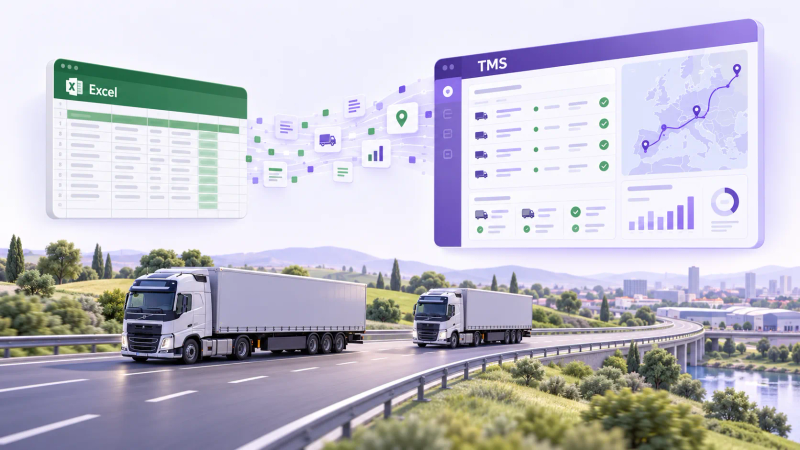
Excel is a general-purpose spreadsheet that may remain suitable for a limited, governed process. fireTMS is a cloud TMS whose public pages document carrier and freight-forwarding workflows, mobile applications and connections to external services. Routena is a Romanian TMS whose public pages document orders, dispatch, fleet, compatible GPS-provider integration, support in Romanian and a separately scoped assisted onboarding service.
There is no universal winner. The right shortlist depends on your mandatory workflows and the evidence available for the configuration, package and services proposed to your company.
| Operating situation | Option to assess first | Why |
|---|---|---|
| Limited, controlled process with no recurring handover failure | Excel may remain sufficient | you keep flexibility without introducing an operating system before a measured need exists |
| Freight exchange and external platform connections are mandatory | fireTMS belongs on the shortlist | its public pages document the fireXgo service integrated with fireTMS and connections with Trans.eu and Transporeon, subject to conditions that require confirmation |
| Romanian-language support and human-assisted onboarding matter | Routena belongs on the shortlist | Routena documents these services, while scope and commercial terms must be confirmed in the current proposal |
| Requirements combine operations, integrations and exceptions | Compare every option with the same script | a published feature does not prove that your workflow works from end to end |
Routena publishes this comparison, so it is a vendor perspective rather than an independent ranking. Information about fireTMS comes from its public pages, accessed on 20 August 2026. Public documentation shows declared scope, not execution quality in your company. Features, packages and terms can change; check current sources and proposals and run the same scripted demonstration.
What does the comparison show, and what still needs a demo?
The table covers material characteristics for a carrier, haulier or freight forwarder. It does not award points or treat a checkmark as a demonstrated integration.
| Criterion | Governed Excel | fireTMS | Routena | What to confirm in practice |
|---|---|---|---|---|
| Type and scope | general-purpose spreadsheet configured by the buyer | cloud TMS for transport and forwarding, according to its official overview | TMS for carriers and freight forwarders, according to the Routena overview | the objects, roles and exceptions covered by the proposed configuration |
| Operating workflow | the team builds and maintains sheets, formulas and rules | the fireTMS functions pages document orders, planning, fleet, documents and finance | Routena pages document orders, dispatch, fleet, documents and invoicing | one normal job and one late change through to the required output |
| Freight-exchange workflow | an external process or one built by the team | the fireXgo service is integrated with fireTMS; Trans.eu and Transporeon connections are also documented | the current Routena product and pricing pages reviewed do not document a native exchange; this does not prove technical absence | posting or search, carrier selection, order handoff, user access and commercial conditions |
| GPS and telematics | may import and refresh compatible sources through Power Query; the operating workflow still needs to be built | public documentation presents a broad GPS integration ecosystem | public documentation presents integration with compatible GPS providers | the exact provider, fields, frequency, stale state and failure owner |
| Mobile operating roles | access depends on the Microsoft 365 application and configuration; it is not a transport-specific mobile workflow | separate fireTMS Driver and fireTMS Dispo apps are documented | the pricing page documents a driver application in selected packages | role, device, permissions, offline behaviour and synchronization |
| Onboarding and support | the company designs, tests and governs the workbook | the supplier publishes support channels; implementation scope belongs in the proposal | Routena publishes support in Romanian and a paid human-assisted onboarding service | deliverables, accepted data, training, schedule, owners and costs |
| Export and exit | the workbook is already in Excel format; external sources and relationships require separate documentation | the pricing page documents Excel export, not a complete exit package | the Routena pricing page documents Excel and CSV export, not a complete exit package | master data, open work, history, documents, relationships, identifiers, time and cost |
| Package and terms | Microsoft 365 licensing and cloud governance depend on the chosen setup | functions vary by package, and some services have separate conditions | functions vary by package, and assisted onboarding has separate scope and terms | exact package, options, limits, third-party services, changes and termination |
The fireXgo terms distinguish the service from fireTMS, require active paid fireTMS access and set separate fee rules. Integrated therefore does not automatically mean included without conditions. Check the terms that apply to your proposal.
When is Excel still a reasonable choice?
Excel may remain the right option when:
- one controlled workbook and one owner govern the structure;
- users have compatible versions and the file is stored in OneDrive or SharePoint Online with AutoSave for co-authoring;
- lists, formulas and data-validation rules are documented and tested, including copy and fill behaviour;
- transfers to other applications are limited and have named owners;
- job status, documents and billing do not need repeated reconstruction from several sources.
Modern Excel supports collaboration, input controls, imports and version history under Microsoft’s documented conditions. It is not a TMS and does not provide a transport operating model for a job, vehicle, driver, subcontractor, document and status by default.
Keep Excel when the process remains controlled. If governing the workbook becomes a separate job while exceptions and handovers remain manual, use the TMS vs Excel guide for transport companies to measure the problem before migrating.
When should fireTMS make the shortlist?
fireTMS merits evaluation when a mandatory requirement is clearly documented on its current public pages and matters to your operation:
- separate carrier and freight-forwarding workflows;
- the fireXgo freight-exchange service integrated with fireTMS;
- published connections with Trans.eu and Transporeon;
- separate applications for drivers and for dispatchers or forwarders;
- a publicly documented GPS integration ecosystem;
- planning, job profitability, invoicing and reporting within the same product category.
This list describes published fireTMS functions, not the outcome of a specific implementation. Its current package matrix shows that availability varies. Ask the supplier to confirm the package, options, external-service access, geographic and accounting fit, failure behaviour and the handoff from exchange to transport order and execution.
When should Routena make the shortlist?
Routena merits evaluation when the company wants to test a TMS built for carriers and freight forwarders operating in Romania and the EU, and these conditions matter:
- Romanian-language support for the operating team;
- a human-assisted onboarding service for account setup, training and activation;
- connection to a compatible GPS provider;
- a demonstrable flow linking orders, dispatch, fleet, documents and invoicing.
Assisted onboarding is a service with its own scope and commercial terms, not automatic import from every spreadsheet. Confirm which data is accepted, who cleans it, what each party configures, which training is included and how the result is accepted.
If a freight exchange is mandatory, the Routena pages reviewed for this comparison do not document that workflow. Do not turn page silence into a technical conclusion: request a demonstration of posting or search, partner selection and transport-order handoff.
What can a public feature page not prove?
A public page may document a declared function. On its own, it cannot prove:
- that the data model fits your commercial transport files and operating jobs;
- that migration preserves required values, relationships and documents;
- that an integration handles failures, delays and retries;
- that support responds within the time your operation needs;
- that access, resilience and restoration match the company’s risk;
- that the export is complete and usable at exit;
- that residual manual work and full cost are acceptable.
Separate a supplier assertion from applicable documentation and from a demonstrated result. The guide to evidence for choosing a TMS explains that distinction without collapsing every criterion into one score.
Which scenarios should Routena, fireTMS and Excel run?
Use synthetic or effectively anonymised data by default. Run the same inputs and define acceptable outputs before the demonstration. For Excel, test the current governed workbook and any required external applications; record manual steps rather than treating them as automatic failures.
| Scenario | Input and change | Result to verify |
|---|---|---|
| Owned fleet | transport order with vehicle and driver, followed by a late change to both resources | current state, history, documents and downstream outputs remain consistent |
| Freight forwarder | commercial dossier or transport file kept distinct from the transport order, client price, carrier cost, then a subcontractor change | buy-sell separation, responsibilities, documents and values remain correct |
| Freight exchange, when mandatory | post or search, partner selection and transport-order handoff | steps, transferred fields, user access, required package or service and commercial conditions are visible |
| GPS or integration failure | stale position or rejected transfer caused by an invalid field | the operator sees the problem, last-data timestamp, retry path and failure owner |
| Export and exit | representative master data, open work, history and documents | files are readable, relationships and identifiers remain usable, and gaps, time and cost are declared |
Use the same record for every scenario:
| Mandatory requirement | Expected result | Actual result and deviation | Evidence | Residual manual work | Owner | Verdict |
|---|---|---|---|---|---|---|
| example: subcontractor change | job and values remain consistent | complete during the demonstration | capture, export or applicable audit record | measure it | supplier + forwarder | pass / fail |
How do you decide without declaring a universal winner?
- Remove options that fail a mandatory requirement. A strong average does not compensate for an essential workflow that fails.
- Compare demonstrated results, not feature counts. Use the same data, roles, exceptions and outputs.
- Check the current proposal. Confirm package, options, external services, onboarding, support and exit terms.
- Compare full cost over the same period. Include licences, setup, migration, integration, training, administration and residual manual work.
- Document limits and the owner of each risk. Choose the option with the strongest evidence for your mandatory workflows.
Check Routena pricing and fireTMS packages on the day of comparison without carrying a feature automatically from one package to another.
Excel may remain appropriate for a limited, controlled process. fireTMS has broader public documentation for freight-exchange workflows and connections within its ecosystem. Routena merits evaluation when Romanian-language support and assisted onboarding matter. In every case, the defensible decision is the one supported by the same scenarios and the commercial terms that apply to your company.